How MortgagesBooked works

The flow in 60 seconds
- We run the marketing and bring in UK mortgage seekers.
- They fill out a qualification form and pick an appointment time.
- The appointment lands in your portal as an available lead.
- You claim the ones you want — one credit per appointment.
- You get the lead's full contact and qualification data, and a calendar invite.
- After the call you mark the outcome. No-shows refund automatically.
How we generate leads
We run our own marketing campaigns to UK consumers actively looking for a mortgage broker. Every lead originates from a marketing source we control, in line with FCA financial-promotion rules. We don't buy second-hand data, and leads aren't resold to other platforms.
The mix covers residential first-time buyers, remortgages, buy-to-let, and equity release.
How they qualify and book
Every applicant completes a detailed qualification form before they can book. The fields we capture:
- Contact details — verified email and phone
- Mortgage type — first-time buyer, remortgage, buy-to-let, equity release
- Income and employment — employed, self-employed, retired, plus household income
- Property situation — value, deposit (FTB) or current loan and equity (remo/BTL/ER)
- Funding context — what they're trying to do (move, raise capital, switch rate)
- Age and any age-specific factors (e.g. equity release qualifying)
- Credit profile — clean, light adverse, or heavier credit issues
- Remortgage extras — extra borrow amount, fixed-rate end date, existing protection cover
After qualifying, they pick a slot from a live calendar. The appointment goes into the available pool, waiting for a broker to claim it.
How you claim a lead
You log into the portal and see what's available. Each card shows the appointment time, mortgage type, funding amount, and a summary of the applicant's situation. One click claims it for one credit.
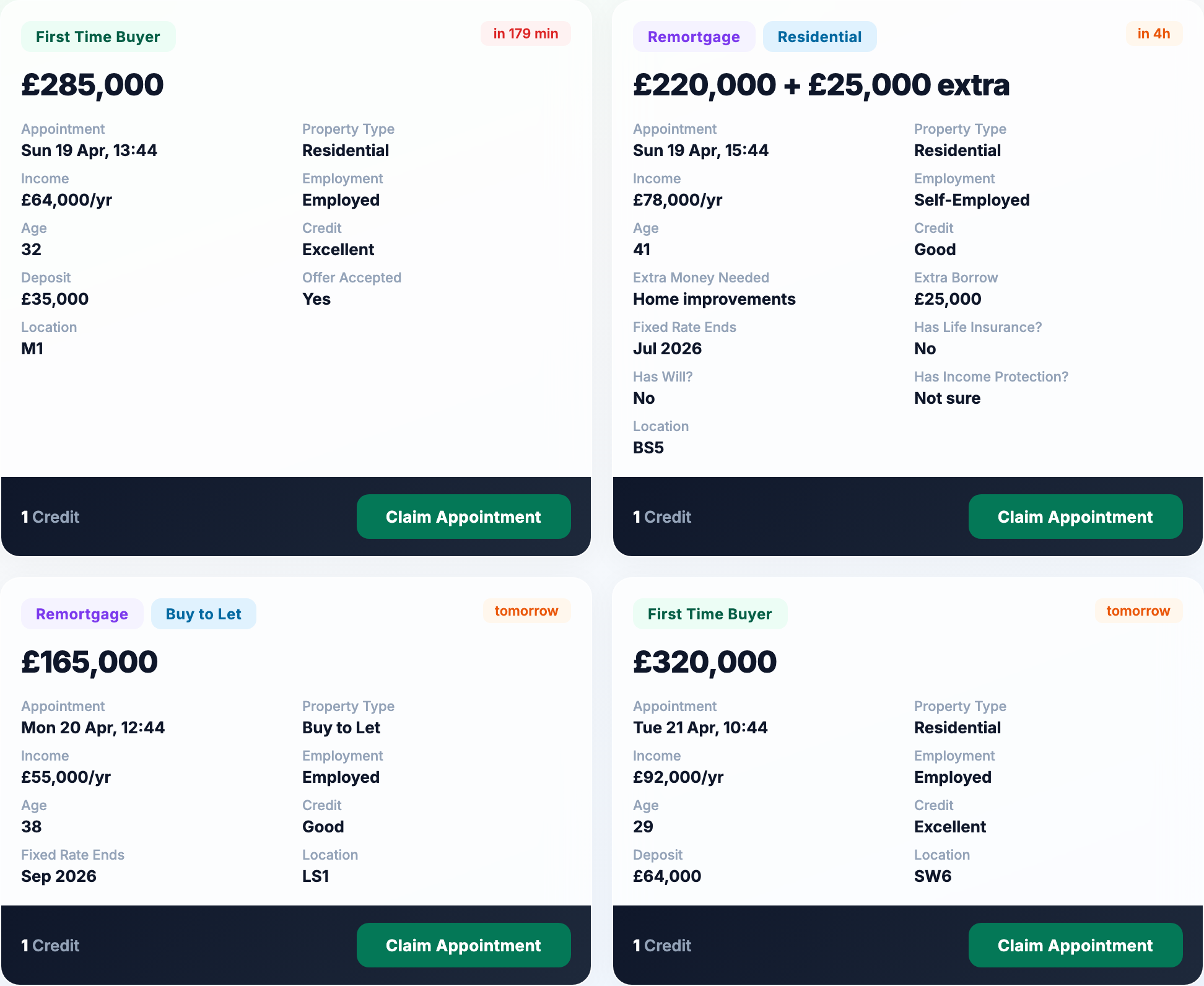
The moment you claim:
- You see the lead's full contact and qualification data
- The lead receives a confirmation email naming you as the broker who will call them
- You're added to the calendar invite for the appointment
Each lead is exclusive. Once claimed, no other broker can take it.

What you get when you claim
The full applicant profile becomes visible the moment the credit clears. Name, email, phone, financial position, mortgage requirements, and the appointment time, all in one row.
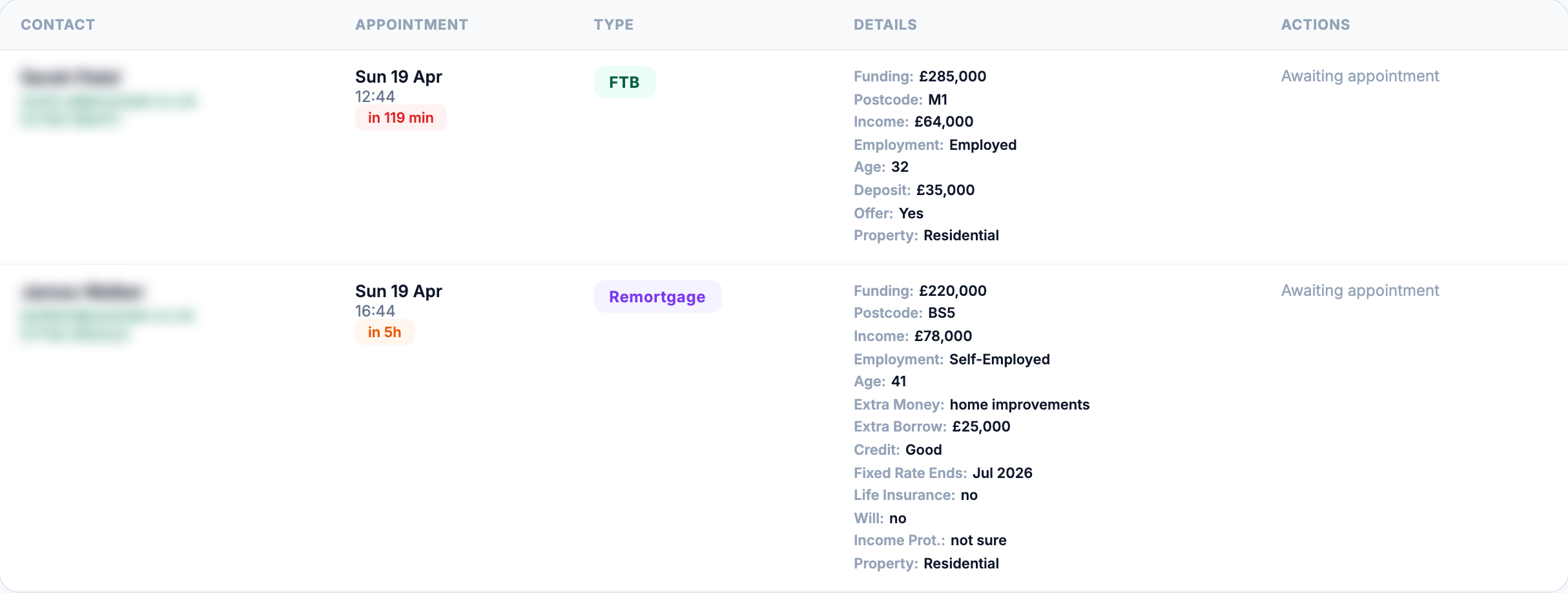
After the appointment
After the call you mark the outcome in the portal: showed, no-show, or in progress. No-shows trigger an automatic credit refund within minutes. We'd rather refund than lose a broker over a wasted slot.
If the lead reschedules, the appointment moves with you. You don't lose the credit and you don't have to claim it again.
What you pay
- £120 per show (standard tier)
- Top-up packs: 5 credits for £600
- Credits are valid for 6 months — we email you 30 and 14 days before any expire
- No subscription, no contract, no minimum spend
- Auto top-up keeps your balance topped up. Turn it off whenever you want.
- No-show refunds happen automatically within minutes
See the full pricing breakdown, or WhatsApp Lee if you want to ask anything before signing up.